How to Replace an E-Bike Battery – Easy Guide for Any Model
Last Updated on June 11, 2026 by Kristina
Electric bikes are a fantastic way to get around – whether you’re riding a Trek Dual Sport Plus, a Lectric XP, a Rocky Mountain Blizzard, or even a Hornet model. But even the best e-bike needs a healthy battery to perform. Over time (typically 3–5 years), your battery’s capacity will fade, or it may eventually fail altogether. Knowing how to replace it safely ensures you stay on the road with full power.
This guide walks you through removing and installing an e-bike battery step-by-step, plus offers troubleshooting tips and advice tailored to common brands and battery setups.
Key Takeaways
- Safety First: Always power off your e-bike completely and remove the key before starting work.
- Know Your Model: Battery removal varies by brand and design. For example, a Lectric bike battery uses a side-mount lock, while many Trek e-bikes have downtube-integrated batteries.
- Tools Matter: Most models use a quick-release, but some require Allen wrenches or brand-specific keys.
- Lift Safely: Batteries can be heavy — bend your knees, not your back.
- Check Before You Ride: Make sure the new battery is secure and all cables are properly reconnected.
Step-by-Step: How to Replace an E-Bike Battery
1. Power Down and Secure
- Turn off your e-bike completely.
- Remove the key (if applicable). On some Rocky Mountain or Trek models, the key is located near the bottom bracket; Lectric keys are typically near the battery lock cylinder.
2. Locate the Battery
Common battery locations include:
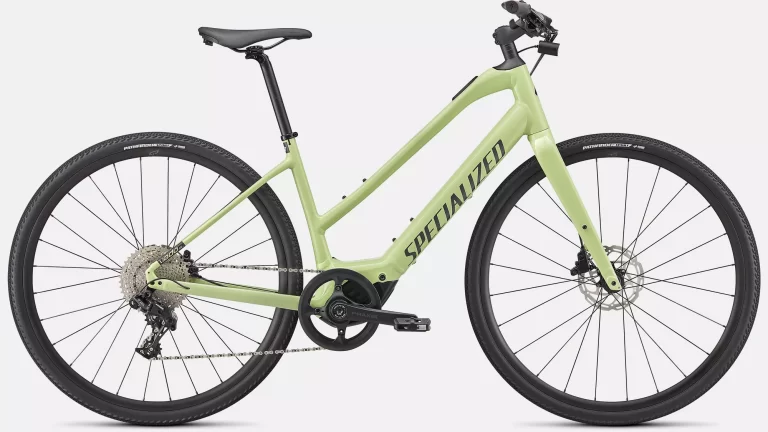
- Downtube-mounted (Trek, Rocky Mountain, Specialized)
- Rear rack-mounted (some commuter and step-through models)
- Integrated into the frame (premium road or city bikes)
Check your manual or manufacturer’s site for specifics — e.g., Hornet e-bikes often require removing a protective cover before release.
3. Disconnect and Remove
- If your model has a cable connector (seen on many Lectric XP and Hornet bikes), carefully unplug it, noting orientation.
- Unlock the latch or loosen securing bolts.
- Gently slide or lift the battery out, keeping a firm grip — some Trek batteries weigh 7–10 lbs.
4. Install the New Battery
- Align mounting pins or slots before sliding into place.
- Push until you hear a click or feel it lock securely.
- Reconnect all cables. On some models, like the Lectric XP, connections are snug and need firm pressure.
5. Test and Secure
- Turn the bike on and check the battery level.
- Gently tug the battery — it should not rattle or move.
- Take a short test ride to ensure full power delivery.
Battery Replacement Costs
Replacement costs vary widely:
- Standard commuter e-bikes: $400–$600
- Long-range or high-capacity packs: $700–$900
Brand-specific packs for Trek, Specialized, or Rocky Mountain may be more expensive due to proprietary designs.
Troubleshooting Tips
- Battery Won’t Lock In: Check alignment pins; clean debris from mounts.
- No Power: Recheck connections — especially on bikes with separate harness plugs like Hornet models.
- Error Codes: Consult your brand’s support page or manual.
Extra Help
- Search “how to replace battery on Lectric bike” or “Trek e-bike battery replacement” for brand-specific video tutorials.
- Join e-bike forums like Endless Sphere to get advice from other owners.
- Watch battery care guides on YouTube to extend lifespan.
Bottom line: Whether you’re swapping the battery on a Lectric XP, a Trek Dual Sport Plus, a Rocky Mountain Blizzard, or any other e-bike, the steps are similar — but brand quirks matter. Learn your bike’s system, follow safety steps, and you’ll be back to riding with full power in no time.
External Sources:
- Online E-Bike Communities: Forums and online communities are a great place to connect with other e-bike enthusiasts, share experiences, and troubleshoot any issues you might encounter. (https://endless-sphere.com/sphere/)
- E-Bike Battery Care Tips: Proper maintenance extends the life of your battery. Learn how to optimize battery performance with these helpful tips: https://m.youtube.com/watch?v=AWd5Pu5FW98
RELATED CONTENT

Kristina is not just an enthusiast but a true authority on electric bikes. Nestled in the coastal beauty of Virginia, Kristina has found the perfect backdrop for her passion for electric biking. As a dedicated wife and homeschooling mom, her life revolves around family, faith, and the thrill of adventure.
Originally hailing from Ohio, Kristina's journey with electric bikes began as a curiosity and quickly evolved into a deep expertise. Her blog is a testament to her love for electric biking, combining her fascination for eco-friendly transportation with her coastal lifestyle.
When she's not cruising the beach on her electric bike, you'll find Kristina indulging in her other loves: long walks along the shore, getting lost in a good book, and cherishing moments with her loved ones. With a heart as big as her love for animals, especially cats, Kristina brings a unique perspective to the electric bike world, grounded in her strong faith in God and her dedication to a sustainable lifestyle.
Through her blog, Kristina shares her extensive knowledge of electric bikes, offering valuable insights, tips, and recommendations to fellow enthusiasts. Whether you're a seasoned rider or a newcomer to the electric bike scene, Kristina's blog is your go-to source for all things electric biking, fueled by her passion, expertise, and the scenic beauty of coastal Virginia.