E-Bike Battery Charges but Has No Power: Causes, Fixes, and What to Check First
Last Updated on September 14, 2026 by Kristina
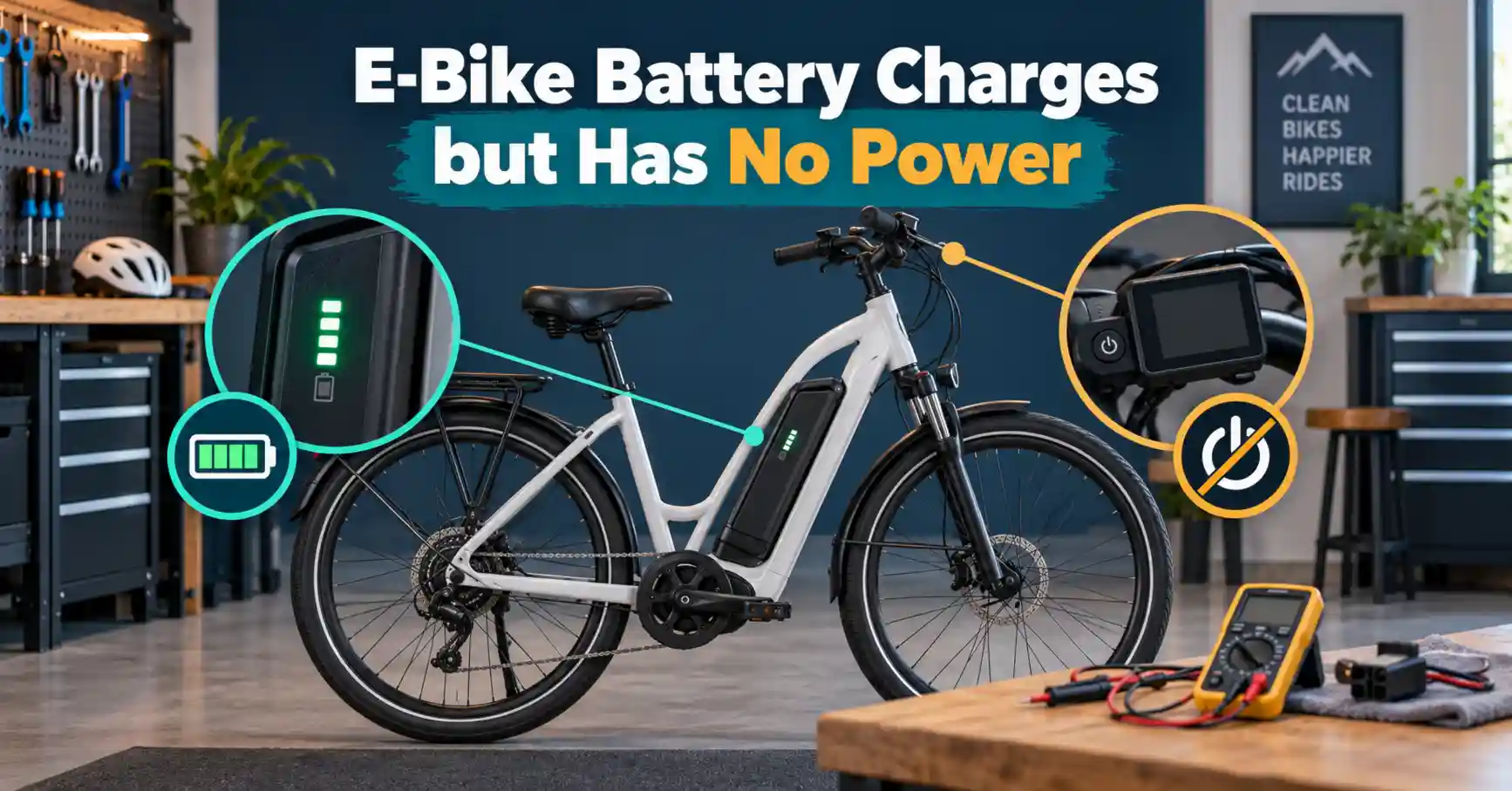
If your e-bike battery charges but has no power, it can be confusing because the charger light may turn green, the battery indicator may look full, and the bike still will not turn on or move.
I have had enough e-bike electrical issues come up while working on Electric Bike Explorer to know that this problem does not always mean the battery is completely dead. Sometimes it is a battery connection issue, a sleeping BMS, a loose wire, a blown fuse, a bad display, a controller problem, or even a safety cutoff that is keeping the bike from powering up.
In this guide, I’ll walk through the most common reasons an e-bike battery charges but the bike has no power, what you can safely check at home, and when it is time to stop troubleshooting and contact the manufacturer or a qualified e-bike repair shop.
If you are still narrowing down the issue, you may also want to read my guides on e-bike not holding charge, why your e-bike won’t charge, loose e-bike electrical connections, and controller vs battery vs motor problems.
📖 Read Next
E-Bike Troubleshooting & Maintenance Guide
E-Bike Battery Guide: Types, Charging, Range, Lifespan, and Care
Understanding eBike Voltage: 36V vs 48V vs 52V — Which Is Right for You?
Top 10 E-Bike Maintenance Mistakes That Damage Your Motor (and How to Avoid Them)
E-Bike Software Updates: Why They Matter & How to Get Them
How to Build Your Own Ebike From Scratch
Start Here: What This Usually Means
If your e-bike battery charges but has no power, the most common causes are a loose battery connection, dirty or bent battery contacts, a battery that is not fully seated, a tripped battery management system, a blown fuse, a faulty power button, a bad display, a controller issue, or a battery that shows charge but cannot deliver enough voltage under load.
Start with the simple checks first. Make sure the battery is locked into place, the key is turned on if your bike uses one, the display cable is connected, the brake levers are not stuck, and the main wiring harness is fully plugged in.
If the battery shows signs of swelling, heat, burning smell, leaking, melted plastic, smoke, or strange noises, stop using it immediately and do not keep charging it.
🔍 Why You Can Trust Electric Bike Explorer
Electric Bike Explorer is dedicated to providing honest, well-researched, and easy-to-understand information for e-bike riders. Whenever possible, I personally test the e-bikes, accessories, and products I review. When I can’t test something directly, I rely on careful research, manufacturer specifications, real-world rider feedback, official sources, and trusted industry information.
For law guides, I review state statutes, local ordinances, transportation agencies, park rules, and official government resources whenever possible. For e-bike news, I review the original reporting along with available town documents, meeting agendas, proposed ordinances, police statements, government notices, and other primary sources. I also make a clear distinction between a proposal, an approved rule, and a law that has already taken effect.
For troubleshooting and safety guides, I focus on practical explanations, common rider experiences, manufacturer guidance, and safe maintenance practices.
My goal is to help you make informed decisions, understand the rules where you ride, solve common e-bike problems, and get the most out of your electric bike safely.
Want to know how I score bikes and research my guides? Read my full review and ranking process
Why an E-Bike Battery Can Charge but Still Not Power the Bike
An e-bike battery can sometimes accept a charge but still fail to send power to the bike. That is because charging and discharging are related, but they are not exactly the same process.
A battery may show a full charge on the charger, but the power still has to travel through the battery management system, battery terminals, wiring harness, display, controller, and motor system before the bike can actually turn on and ride.
That means the problem could be in the battery itself, but it could also be somewhere between the battery and the bike.
Quick Safety Warning Before You Troubleshoot
Before checking anything electrical, turn the bike off, unplug the charger, and remove the battery if your bike allows it.
Do not open the battery case unless you are trained to work on lithium-ion battery packs. E-bike batteries store a lot of energy, and opening the pack can create a fire, shock, or short-circuit risk.
The U.S. Consumer Product Safety Commission recommends being present while charging micromobility products, never charging them while sleeping or when you are not home, and using the supplied or manufacturer-approved charger.
The FDNY also recommends following the device manufacturer’s charging and storage instructions and using the manufacturer’s cord and power adapter made specifically for the device.
Important: What Not to Do
Do not open the battery case, bypass the fuse, jump the battery terminals, use a random charger, force a damaged connector, or keep charging a battery that smells hot, looks swollen, leaks, sparks, smokes, or has melted plastic.
If the battery shows any of these signs, stop using it and contact the manufacturer or a qualified e-bike technician.
This is one area where I would rather be cautious. A no-power issue can sometimes be simple, but a damaged lithium-ion battery should never be treated like a normal maintenance problem.
Common Symptoms When the Battery Charges but the Bike Has No Power
Here are a few ways this issue may show up:
- The charger turns green, but the e-bike display will not turn on.
- The battery lights show full, but the bike is completely dead.
- The display turns on, but the throttle and pedal assist do not work.
- The bike powers on for a second and shuts off.
- The bike works only when the battery is pushed or held in a certain position.
- The battery charges normally, but the motor cuts out under load.
- The charger says the battery is full, but the bike acts like the battery is empty.
Lights are the only thing not working? If the display and motor still work but your headlight, taillight, brake light, or turn signals do not, the battery may not be the main problem. Use my E-Bike Lights Not Working troubleshooting guide to check the lighting system safely before replacing electrical parts.
These symptoms can point to different problems, so it helps to troubleshoot in the right order.
If This Is a Brand-New E-Bike
If your new e-bike battery charges but the bike has no power, I would check the assembly connections before assuming the battery is bad.
Look closely at the display cable, main wiring harness, brake sensor plugs, controller connection, and battery mount. During shipping or assembly, one plug may be slightly loose even if it looks connected.
This is also when I would take photos or a short video before contacting the company. Show the charger light, battery indicator, display behavior, wiring connections, and any error code. That can make the warranty process easier.
Before riding a brand-new e-bike, it is also worth reading my new e-bike owner’s guide and how to set up your new e-bike.
1. Make Sure the Battery Is Fully Seated and Locked In
This is the first thing I would check because it is one of the easiest problems to miss.
Many e-bike batteries slide into a rail or mount. If the battery is even slightly out of position, the charger may still charge it, but the discharge contacts may not line up well enough to power the bike.
Remove the battery and reinstall it firmly. Listen or feel for the click. If your e-bike uses a key lock, make sure the battery is locked into the correct riding position.
Some e-bikes have a key position for unlocking the battery and another position for powering the system. If the key is turned to the wrong position, the bike may act completely dead even though the battery is charged.
2. Check the Battery Contacts
Dirty, corroded, loose, bent, or burned battery contacts can stop power from reaching the bike.
Look at the metal contact points on both the battery and the bike’s battery mount. You are looking for:
- Dirt or dust
- Green or white corrosion
- Burn marks
- Bent pins
- Melted plastic
- Loose contact plates
- Contacts that look pushed in or uneven
If the contacts are dusty, you can gently wipe them with a dry cloth. If you see corrosion, melting, burn marks, or damaged pins, I would not keep riding the bike until it is inspected.
A weak battery connection can cause power cutouts, arcing, heat, and intermittent no-power problems.
You can also read my guide on loose e-bike electrical connections if you want a deeper step-by-step checklist.
3. Check the Battery Power Button
Some e-bike batteries have their own power button in addition to the display power button.
This can make the problem look worse than it is. The battery may be fully charged, but if the battery itself is not switched on, the display may never receive power.
Try pressing the battery power button once. If that does not work, try holding it for a few seconds. Some battery systems require a longer press to wake up.
If the button feels stuck, loose, or unresponsive, the issue may be with the button or battery housing rather than the cells themselves.
4. Wake Up a Sleeping Battery Management System
Many e-bike batteries have a battery management system, often called a BMS. The BMS helps protect the battery from unsafe conditions such as over-discharge, over-current, short circuits, or temperature problems.
Sometimes the BMS can go into protection mode or sleep mode. When that happens, the battery may look like it has charge, but it may not send power to the bike.
A few safe things you can try:
- Remove the battery from the bike.
- Let it sit at room temperature.
- Plug it into the correct manufacturer-approved charger.
- Let it charge for a normal cycle.
- Reinstall it firmly and try powering the bike again.
- Check your manual for a reset or wake-up procedure.
Some brands have a specific battery reset or wake-up procedure, but the exact steps vary by system. Check your owner’s manual or manufacturer support page before trying a reset.
5. Check for a Blown Fuse
Some e-bike batteries have an external or internal fuse. If the fuse is blown, the battery may still show charge, but the bike may not receive power.
Not every e-bike battery has a user-accessible fuse, so check your owner’s manual first.
If your bike does have an accessible fuse, look for signs that it is blown. Replace it only with the exact same fuse type and rating recommended by the manufacturer.
Do not bypass a fuse. The fuse is there for safety. If a new fuse blows again, stop using the bike and contact the manufacturer or a qualified repair shop.
6. Check the Display and Main Wiring Harness
If the battery is charged but the display will not turn on, the issue may not be the battery at all.
The display is often what wakes up the rest of the system. A loose display cable, damaged wiring harness, or bad connector can make the entire bike seem dead.
Check these areas:
- Display plug
- Main wiring harness near the handlebars
- Controller cable connections
- Battery mount wiring
- Any quick-disconnect plugs near the frame
- Wires that may have been pinched during assembly
This is especially important if the problem started after shipping, assembly, handlebar adjustment, a fall, a repair, or riding in heavy rain.
If you recently assembled the bike, go back over every plug you connected. Many e-bike connectors have arrows that need to line up before being pushed together.
7. Check the Brake Cutoff Sensors
If your display turns on but the motor will not engage, check the brake levers.
Many e-bikes have brake cutoff sensors. These sensors tell the motor to stop when you pull the brakes. If a brake lever is stuck, damaged, or slightly engaged, the controller may think you are braking all the time.
This can make the bike power on but refuse to move.
Check both brake levers. Make sure they spring back fully. Look for a brake icon or error code on the display. If the bike has motor inhibitors built into the brake levers, inspect the wires near the levers too.
8. Check the Throttle and Pedal Assist Separately
If your e-bike powers on but has no motor power, test the throttle and pedal assist separately if your bike has both.
For example:
- If pedal assist works but the throttle does not, the throttle may be faulty or disabled in the settings.
- If the throttle works but pedal assist does not, the cadence sensor, torque sensor, or pedal assist settings may be the issue.
- If neither works, the issue may be the controller, motor cable, brake cutoff, display setting, or battery output.
This is why I do not like jumping straight to “the battery is bad.” A charged battery with no motor power can still be caused by another part of the e-bike system.
9. Check for Error Codes
If your display turns on, look for an error code.
An error code can point you toward a controller, motor, brake sensor, throttle, communication, or battery issue.
If your display shows a code, write it down exactly as it appears. Include any letters, numbers, or flashing symbols.
You can also use my E-Bike Error Code Finder to help narrow down what the code may mean.
10. Check Whether the Battery Has Voltage Output
If you know how to safely use a multimeter, you may be able to check whether the battery is actually sending voltage out of the discharge port.
This is not a step everyone should do. If you are not comfortable using a multimeter, skip this and have a bike shop or the manufacturer check it.
A typical lithium-ion 48V e-bike battery usually reads about 54.6V when fully charged, but exact numbers can vary by battery chemistry and manufacturer.
Here is a general reference chart for many common lithium-ion e-bike batteries:
| Battery Label | Approximate Full Charge Voltage |
|---|---|
| 36V battery | About 42V |
| 48V battery | About 54.6V |
| 52V battery | About 58.8V |
If the battery display says it is charged but the discharge port shows no usable voltage, the issue could be a tripped BMS, blown fuse, internal battery fault, or damaged discharge connector.
Do not short the battery terminals. Do not poke around inside the battery case. Do not try to jump-start or bypass the BMS.
11. Check for Voltage Sag Under Load
Sometimes an e-bike battery shows voltage when sitting still but drops too low when the motor asks for power.
This is often called voltage sag.
Signs of voltage sag may include:
- Bike turns on but shuts off when you use the throttle.
- Bike cuts out going uphill.
- Bike loses power under acceleration.
- Battery indicator drops suddenly under load.
- Bike restarts after sitting for a few minutes.
Voltage sag can happen when a battery is old, unbalanced, damaged, low quality, or not able to supply enough current for the motor.
If this sounds like your issue, you may also want to read my guide on e-bike shutting off going uphill and e-bike battery not holding charge.
12. Consider the Controller
The controller is the part that sends power from the battery to the motor. If the battery is charged and the display turns on, but the motor will not respond, the controller may be part of the problem.
Controller problems can sometimes look like battery problems because the bike may have no motor power even though the battery is charged.
Possible controller-related signs include:
- Display turns on but motor does nothing.
- Throttle and pedal assist both fail.
- Motor cable is connected, but there is no response.
- Bike gives a controller error code.
- Controller smells burned or looks melted.
- Problem started after water exposure or a short.
You can compare the symptoms in my guide on controller vs battery vs motor problems.
13. Consider the Motor Cable
A charged battery with no motor power can also be caused by a loose motor cable.
This is common on hub motor e-bikes because the motor cable usually runs near the rear axle or front fork. It can get bumped, stretched, unplugged, or damaged.
Check the motor cable connection. Make sure the arrows line up and the plug is fully seated. Look for bent pins, cuts, crushed wire, or signs of water inside the connector.
If the motor cable was recently unplugged for tire repair, this should be one of the first things you check.
14. Check the Charger, Too
It may sound odd, but a bad charger can sometimes make this issue confusing.
A charger may turn green too quickly, making you think the battery is full when it really is not charging properly. This can happen if the charger is failing, the battery is not accepting charge correctly, or the connection between charger and battery is poor.
Check for:
- Charger light turns green immediately on an empty battery.
- Charger gets unusually hot.
- Charger plug feels loose.
- Charging port is damaged.
- Battery never gains range even after charging.
- Charger fan does not work if your charger normally has one.
Only use the charger recommended by your e-bike manufacturer. Do not use a random charger just because the plug fits. Voltage, amperage, polarity, and battery chemistry matter.
CPSC recommends using the supplied charger and only using an approved replacement battery pack.
15. If the Problem Started After Rain or Washing the Bike
If the e-bike lost power after rain, washing, or riding through deep puddles, water may have gotten into a connector, display, throttle, brake sensor, or controller area.
Turn the bike off, remove the battery if possible, and let the bike dry fully before trying again. Do not use high heat on the battery or electronics. Check for water inside connectors, corrosion, or a display that looks foggy inside.
If the bike keeps cutting out after it dries, contact the manufacturer or a qualified e-bike shop.
For the complete moisture-specific inspection process, see E-Bike Not Working After Rain or Washing?
16. Do Not Ignore Battery Safety Signs
Stop using the battery and do not charge it again if you notice:
- Swelling
- Cracking
- Leaking
- Burning smell
- Smoke
- Hissing or popping sounds
- Melted plastic
- Burned connectors
- Battery getting unusually hot
- Charger or battery sparking
- Battery cutting out repeatedly after charging
The FDNY says to discontinue use if a battery overheats or you notice odor, change in shape or color, leaking, or odd noises.
This is one of those areas where I would rather be overly cautious. A replacement battery is expensive, but an unsafe lithium-ion battery is not worth risking your home, garage, vehicle, or family.
Battery Charges but Has No Power Troubleshooting Chart
| Symptom | Possible Cause | What to Check |
|---|---|---|
| Battery charges, display dead | Battery not seated, bad contacts, power button issue, display cable issue | Reinstall battery, check contacts, check key position, inspect display plug |
| Display turns on, motor does nothing | Brake cutoff, controller, throttle, PAS sensor, motor cable | Check brake levers, error codes, throttle/PAS, motor plug |
| Bike turns on then shuts off | Weak battery, BMS protection, voltage sag, bad connection | Charge fully, inspect contacts, check for cutouts under load |
| Charger turns green immediately | Charger issue, battery not accepting charge, bad charging port | Check charger behavior, charging port, try manufacturer support |
| Battery lights work but bike dead | Discharge port issue, fuse, BMS, battery mount problem | Check mount contacts, fuse if accessible, contact manufacturer |
| Bike works when battery is pushed | Loose battery rail or contact problem | Inspect battery mount, locking mechanism, contact points |
| Power cuts out on hills | Voltage sag, weak battery, loose connector, controller overload | Check battery health, connectors, controller symptoms |
| Problem started after rain | Wet connector, display issue, controller moisture, corrosion | Remove battery, dry fully, inspect connectors |
| New bike charges but will not power on | Assembly plug loose, battery not locked, display cable loose | Recheck setup, take photos/video for support |
What I Would Check First
If this happened to me, I would check it in this order:
- Make sure the battery is fully seated and locked.
- Make sure the key or battery switch is in the correct position.
- Inspect the battery contacts and battery mount.
- Check the display cable and main wiring harness.
- Look for an error code.
- Check the brake levers and brake cutoff sensors.
- Test throttle and pedal assist separately.
- Inspect the motor cable.
- Try the manufacturer’s battery reset or wake-up procedure.
- Contact the manufacturer before opening or replacing expensive parts.
I would not start by opening the battery or buying a new controller. Many no-power problems are caused by something simple, especially after shipping, assembly, rain, a crash, or a recent repair.
When the Battery Is Probably the Problem
The battery itself may be the issue if:
- It charges but has no discharge output.
- It shuts off as soon as the motor is used.
- It only works for a few seconds.
- It has visible damage.
- It smells hot, burnt, or chemical-like.
- It gets unusually warm while charging or riding.
- It has a swollen case.
- It has burned or melted terminals.
- It is old and range has dropped badly.
- It has been stored dead for a long time.
If your e-bike is still under warranty, contact the brand before replacing anything. Many e-bike companies will ask for photos, a video of the charger light, the battery label, the display behavior, and sometimes a voltage reading.
When the Problem May Not Be the Battery
The battery may not be the issue if:
- The display turns on normally.
- The lights work, but the motor does not.
- There is an error code for the brakes, motor, throttle, or controller.
- The bike lost power after handlebar adjustment.
- The bike stopped working after tire repair.
- The bike has power but no pedal assist.
- The throttle stopped working but pedal assist still works.
In those cases, look more closely at the wiring, brake sensors, display, controller, motor cable, and settings.
Should You Replace the Battery?
Do not replace the battery until you have ruled out the simple issues first.
A replacement e-bike battery can be one of the most expensive parts of the bike. Before buying one, check:
- Battery seating
- Battery contacts
- Fuse if accessible
- Charger behavior
- Display cable
- Main harness
- Brake cutoff sensors
- Error codes
- Motor cable
- Warranty status
If the battery is unsafe, damaged, swollen, or has burned contacts, stop using it. But if the bike is simply not turning on, it is worth checking the rest of the system before assuming the battery is dead.
Why UL Certification Matters
When buying a replacement battery or a new e-bike, look for clear safety certification information from the brand.
UL Solutions says UL 2849 evaluates e-bike electrical and fire safety by examining the electrical drive train system, battery system, and charger system combination.
UL 2271 covers batteries for use in light electric vehicle applications.
This matters because a battery is not just a box of cells. It works with the charger, wiring, controller, and motor system. A poor-quality or mismatched battery can create real safety problems.
You can also read my guide on how to tell if an e-bike is UL certified and my list of best UL-certified e-bikes.
Helpful Tools & Accessories for Troubleshooting Your E-Bike
Before replacing expensive parts, I recommend having a few basic tools on hand. They’re inexpensive, useful for routine maintenance, and can make diagnosing common e-bike problems much easier.
- Digital Multimeter – Helps check basic voltage at the battery or charger, but it does not prove the battery is healthy under load. Only use one if you know how to avoid shorting the terminals.
- Portable Bike Pump – Keeps your tires properly inflated, reducing strain on the motor when climbing hills.
- Digital Tire Pressure Gauge – Lets you verify your tire pressure for better efficiency and hill-climbing performance.
- Hex Key (Allen Wrench) Set – Useful for tightening loose components, battery mounts, and accessories.
- Bike Repair Multi-Tool – A compact tool for making quick adjustments at home or on the trail.
- Electrical Contact Cleaner – Helps clean battery terminals and electrical connectors if dirt or corrosion is causing poor contact.
- Dielectric Grease – Can help protect some connector seals from moisture, but use it sparingly and only where appropriate. Do not pack random electrical plugs or battery terminals with grease.
- Head Lamp or Small Flashlight – Helps you inspect battery contacts, wiring plugs, and connector pins more clearly.
- Zip Ties – Good for securing loose wires after you confirm everything is working correctly.
- Bike Repair Stand – Can hold your e-bike steady while you inspect the pedal sensor, wiring, and crank area.
➡️ View all recommended e-bike accessories
Still Stuck After Trying These Steps?
Some electrical issues aren’t obvious and can take time to track down – especially with controllers, wiring harnesses, or battery systems.
👉 Get help from a verified e-bike expert and pinpoint the issue faster
Want to See More Electric Bike Explorer in Google Search?
Add Electric Bike Explorer as a preferred source to see more of our e-bike law guides, safety updates, reviews, buying guides, and troubleshooting posts when they are relevant to your searches.
FAQs
Yes. On many e-bikes, the display helps wake up the electrical system. If the display cable is loose, damaged, or not communicating with the controller, the bike may seem completely dead even if the battery is charged.
Intermittent power usually points to a loose connection, weak battery contact, damaged wiring harness, loose display plug, or battery mount issue. If the bike works only when the battery is pushed or moved, check the battery rail and contact points first.
Yes. A charger may turn green if the battery is full, but it can also turn green if the charger is not making a good connection, the battery is not accepting charge properly, or the charger itself is faulty.
Only test your e-bike battery with a multimeter if you know how to do it safely. A multimeter can help confirm whether the battery has voltage output, but you should not short the terminals, open the battery case, or bypass the battery management system.
If the bike turns on but shuts off when you use the throttle, the battery may be sagging under load, the BMS may be cutting power, or there may be a loose battery connection. This can also happen with a weak or aging battery.
Yes. If a brake cutoff sensor is stuck or the brake lever is not returning fully, the controller may think you are braking. The display may turn on, but the motor may not respond to throttle or pedal assist.
Yes. Some e-bikes use a key for more than just locking the battery in place. If the key is in the wrong position, the battery may be attached and charged, but the bike may not send power to the display or controller.
If the lights work but the motor does not, the battery may still be sending some power, but the issue could be with the brake cutoff sensor, controller, throttle, pedal assist sensor, motor cable, or display settings.
Yes. The battery mount can wear out, loosen, corrode, or develop damaged contact points. If the bike only powers on when the battery is pushed, held, or moved a certain way, the battery mount or contact plate should be inspected.
Send clear photos or a short video showing the charger light, battery indicator, display screen, battery label, error code if there is one, and the battery connection area. This can help the company troubleshoot faster and may help with warranty support.
Yes. If an e-bike battery is stored for a long time at a very low charge, it may drop too low and the battery management system may shut it down. In some cases, the battery may not wake up or may need manufacturer support.
Yes. A battery indicator can sometimes show bars or lights even when the battery cannot deliver enough power under load. This is why a bike may look charged but still shut off when you use the throttle or ride uphill.
Only use a charger that is approved by your e-bike manufacturer and matches the battery exactly. Do not use a random charger just because the plug fits. The wrong charger can damage the battery or create a safety risk.
If the bike turns on briefly and then shuts off, it may be caused by a weak battery, voltage sag, a loose battery connection, a tripped BMS, a controller issue, or a bad contact between the battery and the bike.
My Take
If your e-bike battery charges but has no power, I would not panic and assume the battery is dead right away. Start with the easy things first: battery seating, key position, battery contacts, display cable, brake sensors, and motor cable.
A surprising number of e-bike power problems come from a loose connection, especially after assembly, shipping, rain, or a repair.
But I would also be very careful with the battery itself. If there are any signs of swelling, heat, leaking, burning smell, melted plastic, or repeated cutouts, stop using it and contact the manufacturer. E-bike battery troubleshooting is helpful, but battery safety comes first.
Disclosure: As an Amazon Associate, I earn from qualifying purchases. This comes at no extra cost to you and helps support the content on this site.
External Sources
U.S. Consumer Product Safety Commission – Micromobility Battery Safety
https://www.cpsc.gov/Safety-Education/Safety-Education-Centers/Micromobility-Information-Center
CPSC PSA – Micromobility Battery Charging Safety
https://www.cpsc.gov/node/65775
FDNY Smart – Lithium-Ion Battery Safety Tips
https://www.fdnysmart.org/be-fdnysmart-when-using-any-devices-powered-by-lithium-ion-batteries/
FDNY Foundation – Rechargeable and Lithium-Ion Battery Safety
https://www.fdnyfoundation.org/the-fdny-and-fdny-foundation-want-you-to-be-fdnysmart-when-using-any-devices-powered-by-rechargeable-or-lithium-ion-batteries/
UL Solutions – E-Bikes Certification: Evaluating and Testing to UL 2849
https://www.ul.com/services/e-bikes-certificationevaluating-and-testing-ul-2849
ANSI Webstore – ANSI/CAN/UL/ULC 2271: Batteries for Use in Light Electric Vehicle Applications
https://webstore.ansi.org/standards/ul/ansiululc22712023

Kristina is not just an enthusiast but a true authority on electric bikes. Nestled in the coastal beauty of Virginia, Kristina has found the perfect backdrop for her passion for electric biking. As a dedicated wife and homeschooling mom, her life revolves around family, faith, and the thrill of adventure.
Originally hailing from Ohio, Kristina's journey with electric bikes began as a curiosity and quickly evolved into a deep expertise. Her blog is a testament to her love for electric biking, combining her fascination for eco-friendly transportation with her coastal lifestyle.
When she's not cruising the beach on her electric bike, you'll find Kristina indulging in her other loves: long walks along the shore, getting lost in a good book, and cherishing moments with her loved ones. With a heart as big as her love for animals, especially cats, Kristina brings a unique perspective to the electric bike world, grounded in her strong faith in God and her dedication to a sustainable lifestyle.
Through her blog, Kristina shares her extensive knowledge of electric bikes, offering valuable insights, tips, and recommendations to fellow enthusiasts. Whether you're a seasoned rider or a newcomer to the electric bike scene, Kristina's blog is your go-to source for all things electric biking, fueled by her passion, expertise, and the scenic beauty of coastal Virginia.